
King Exchange Sign Up: Your New ID in About 2 Minutes
Last reviewed: 10 July 2026 · KingExchange support desk
There's no form on this page, and that's on purpose. A real person builds your account on WhatsApp while you watch it happen — we've worked this way since 2015.
Message us on WhatsApp through kingexch9.live, pick a username, and deposit anything from ₹100. Your King Exchange ID and password come back in the same chat, usually in about two minutes.
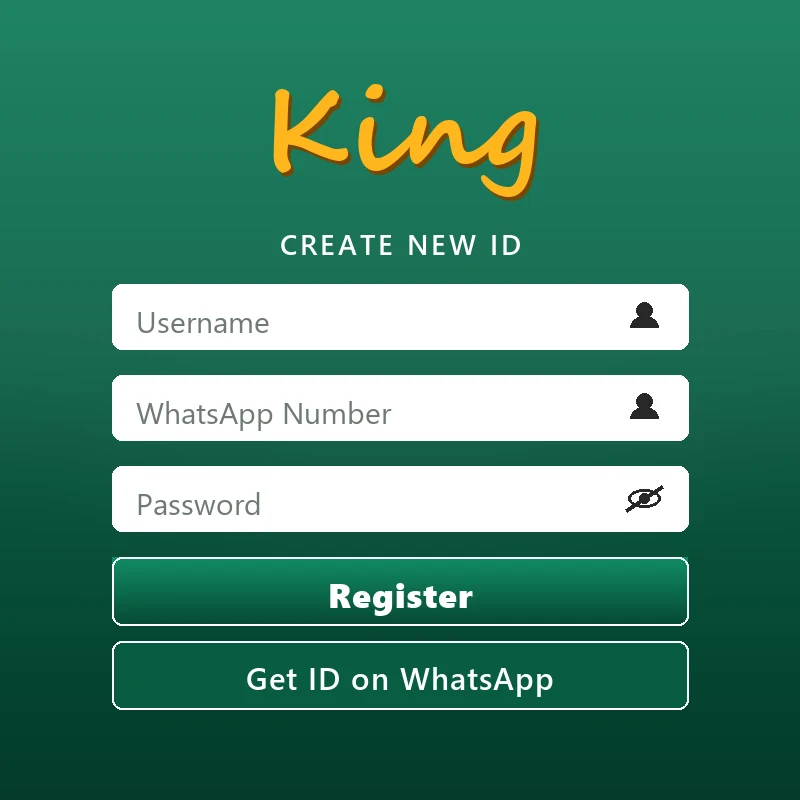
What You Fill In
The sign up panel asks for exactly three things. Here's what each one does — and what happens the moment you send it.
Three fields make a King Exchange account: a username, the WhatsApp number you message from, and a password. No email, no address, no document uploads.
Username
This is the name your ID wears on the panel, so keep it short and easy to type one-handed during a live over. The moment you send it, the agent checks availability. Taken? You get a workable alternative back in seconds, not an error screen.
WhatsApp number
You never actually type this one — the chat supplies it. Whichever number you message from becomes the registered line for your account, and every deposit confirmation, withdrawal update, and password reset routes through it. Use your own SIM, always.
Password
The desk generates this and sends it alongside your username once your first deposit is matched. Treat it as a starter key, not a keeper — change it the first time you log in, and don't recycle the one guarding your email or bank app.
And that's the whole thing. No email confirmation loop, no referral-code maze, no waiting on an SMS that never lands. Each field exists because the panel genuinely needs it, and nothing else made the cut.
How to Register on King Exchange
Five short steps, one WhatsApp chat, about two minutes end to end. This is the exact sequence our desk walks every new player through.
-
Start a chat on kingexch9.live
Tap the gold Register button anywhere on this page. It opens our official WhatsApp line at kingexch9.live, where a person — not a bot — replies at any hour, usually within seconds.
-
Ask for a new ID
One line does the job: "New King Exchange ID please." The agent confirms you're 18 or older, then shares the current deposit options before anything gets created.
-
Choose your username
Send the name you want on the panel — short, letters and numbers, easy to type mid-over. If it's taken, you'll get a workable alternative straight back.
-
Send ₹100 or more
Pay by UPI, IMPS, or Net Banking to the details shared inside the chat — never to any other account. Copy the UTR number from your payment app and paste it in.
-
Log in and lock it down
Your username, password, and login link arrive together. Sign in, check your balance matches the deposit, and change the starter password before your first trade.
One honest caveat about that two-minute figure: it assumes UPI. Bank transfers clear slower, and on big IPL nights the desk answers in waves rather than instantly — the slowest sign up we've recorded this year took eleven minutes, which is still quicker than most app downloads. If your chat goes quiet, hold on rather than opening a second conversation; duplicate threads slow the matching down.
What You Need
A WhatsApp number you control, a way to send ₹100, and two spare minutes. That's the full checklist — nothing to print, scan, or photograph.
- A WhatsApp number that's genuinely yours. Not your cousin's, not a spare SIM you'll bin next month. Withdrawals, password resets, and every confirmation run through this number for the life of the account.
- A UPI app or bank transfer. Google Pay, PhonePe, Paytm, plain IMPS, or Net Banking — any of them covers the ₹100 minimum. UPI clears fastest, usually inside a minute.
- About two minutes. Genuinely. The chat, the username, the payment, and the credentials all fit inside the length of a drinks break.
What you won't need: paperwork. Standard IDs carry no KYC at sign up — no Aadhaar, no PAN, no selfie holding a document. The one verification moment comes at payout, when we confirm the withdrawal account belongs to the person who registered. That check protects your balance from anyone who grabs your phone; it isn't a hoop on day one.
Pick the Right ID Type
Most people should start with a standard ID at ₹100. Heavy players can ask for the master tier, and the undecided can take a free demo first.
| ID Type | Best For | Minimum |
|---|---|---|
| Standard King Exchange ID | Most players — full match odds, session markets, and the live gaming studio tables | ₹100 first deposit |
| Master ID | High-volume players who want the cricket master id tier: bigger limits, priority payouts, a dedicated line | Higher — quoted in chat |
| Demo ID | Anyone who'd rather test-drive the panel before spending anything at all | Free — ₹0 |
Our honest advice: start standard. It unlocks everything a normal player touches, and the ₹100 floor keeps the experiment cheap. Master tier earns its keep only once you're moving volume most weeks — if that sounds like you, say so during registration and the agent quotes the entry deposit there and then.
Nothing is permanent, either. A standard ID upgrades to master with a single message, and a demo converts to a full account after one deposit. Demo credentials work on the same panel as everything else — our King Exchange login walkthrough shows exactly where they go.
Your First Deposit, Without the Panic
₹100 minimum, UPI fastest, and one habit worth building from day one: save the UTR number of every transfer you send.
UPI is what we recommend nine times out of ten. Google Pay, PhonePe, and Paytm transfers usually reflect inside a minute; IMPS follows a few minutes behind; Net Banking brings up the rear — fine for a larger amount from a desktop, slow for a ₹100 starter.
Whatever route you take, keep the UTR. It's the twelve-digit reference your payment app attaches to every transfer, and pasting it into the chat is the difference between an instant match and a manual hunt through the ledger.
And if your balance hasn't moved after ten minutes? A delay almost never means lost funds — it means a bank queue or a missing reference. Send the UTR and a screenshot in the same chat and the desk traces it while you wait. In eleven years we've yet to see a properly referenced deposit stay stuck.
Try Before You Commit
You can get online cricket ID practice without depositing a rupee — ask the same WhatsApp desk for a free demo ID instead.
A demo runs on the genuine King Exchange panel — same live odds, same market layout, same settlement speed — just loaded with practice funds instead of a deposit. Use it to learn back-and-lay trading during an actual match, poke every menu on your phone, and see whether the pace suits you.
There's no expiry date and no follow-up nagging from our side. Some players convert the same evening; a few watched an entire series first. When you're ready, one message and one ₹100 deposit turns the demo into a full ID — no second registration, no starting over.
Mistakes We See Every Week
Five slip-ups cause nearly every delayed or hijacked registration that reaches our desk. Each takes seconds to dodge.
- Dictating your number instead of messaging from it. One fumbled digit and your credentials go to a stranger. Message from the SIM you want registered and the chat records it perfectly — there's nothing to mistype.
- Keeping the starter password. The one we send is a door key, not a deadbolt. Swap it on first login for something you don't use anywhere else.
- Registering through lookalike pages. Clone sites borrow the King Exchange name to collect deposits and vanish. The only genuine channel is kingexch9.live — check the address bar before you send a rupee.
- Sharing an OTP. Our desk never asks for one-time passwords, PINs, or screen-sharing access. Anyone who does isn't us — block them and move on.
- Paying a personal UPI handle. Deposit details arrive inside your registration chat and nowhere else. A friendly stranger offering a "special account" is running a scam, full stop.
Sign Up Questions, Answered
How do I create a King Exchange account?
Open a WhatsApp chat through kingexch9.live, tell the agent you'd like a new ID, pick a username, and send a first deposit of ₹100 or more. Your username and password come back in the same conversation, usually inside two minutes.
What information do I need to register on King Exchange?
A username you'd like and the WhatsApp number you're messaging from — that's the entire list. Standard IDs skip KYC completely: no Aadhaar, no PAN, no email. The only identity check happens at withdrawal, to confirm the payout account is really yours.
Is King Exchange registration free?
Yes, completely. Nobody pays a fee to open an ID and there are no monthly charges afterwards. The ₹100 you send at sign-up isn't a cost — every rupee of it becomes your playing balance.
How long does King Exchange sign up take?
About two minutes when you pay by UPI, which confirms almost instantly. Bank transfers add a few minutes. The slowest registration we've handled this year took eleven — during an IPL toss rush, and it still finished.
Do I need to deposit immediately after registering?
No. Ask for a free demo ID in the same chat and learn the panel with practice funds first. A standard ID needs its ₹100 first deposit to go live, but nobody sets a deadline on when you send it.
Get Your King Exchange ID Now
One message on WhatsApp, one ₹100 deposit, and you're on the panel before the next over starts. Our desk is awake right now.
Register on WhatsApp